
Player Guides
How to Play Lagos Life: Your First Visit Guide
Learn how to play Lagos Life using the official browser game, review the sign-up fields and age requirement, and prepare for your first visit to the city.
Last checked:
Start with the official game
Open Lagos Life in your browser. This website, Lagos Life Guide, publishes independent reading material; your character and game account belong on the official game website. You do not create a character here. Keep the game in one tab and this guide in another if you want to refer back while getting started.
On October 7, 2026, the public game interface showed a city map and the options Sign up free and Log in. Those labels are the starting point for the steps below. This guide covers the publicly visible entry process. We have not completed a logged-in play session, so the later planning suggestions are advice, not a tested progression route.
Check the age requirement
The official Terms of Use require players to be at least 18 years old. Read those terms and the game's privacy policy before deciding whether to create an account. A free sign-up button does not remove the age requirement or replace the terms.
Do not use somebody else's identity to get past account requirements. If you are not eligible, stop at the public information. Our guide does not offer an alternative account service or a way around the game's registration rules.
Understand the registration fields
Choose Sign up free if you are new. The public form we inspected contained these fields:
- Your name: read the current form's explanation before entering a name.
- Username: the form identifies this as your Sim's name.
- Email: the current form asks for an email address and provides a Send code button. There is no password field on this registration screen.
The current entry flow uses an email code. Use an inbox you can access and follow the instructions shown by the official site. Our October 7 inspection stopped before entering an address or sending a code, so we have not verified message delivery or the screens that follow. Older descriptions of optional email and password-based sign-up do not describe this current form.
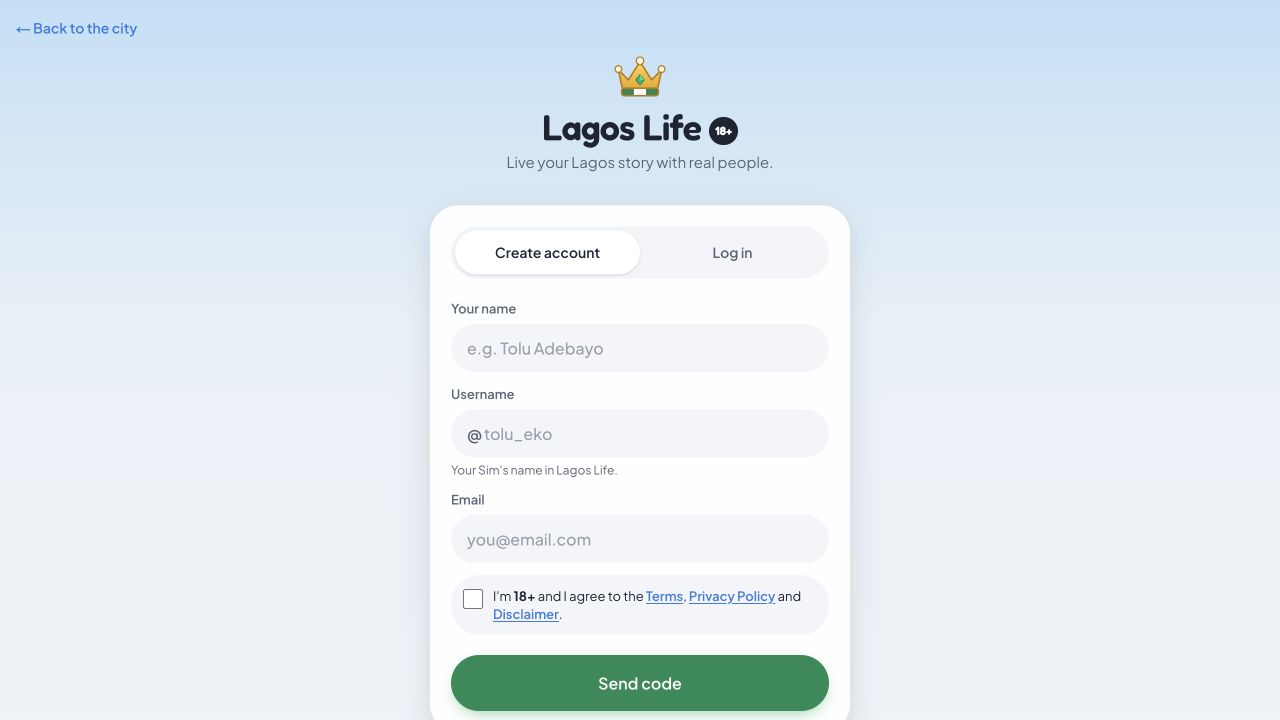
The form also has an agreement checkbox referring to age and the official policies. Review those yourself. We did not fill in, tick or submit the form during research. If the interface changes, follow its current field explanations instead of expecting this list to override them.
Return to an existing account
If you already have an account, choose Log in. The interface offers Email code and Password. The email-code screen accepts an email or username and says it will email a six-digit code. The password screen is labeled for accounts previously created with a password; it asks for a username or email and a password, and includes Forgot password?.
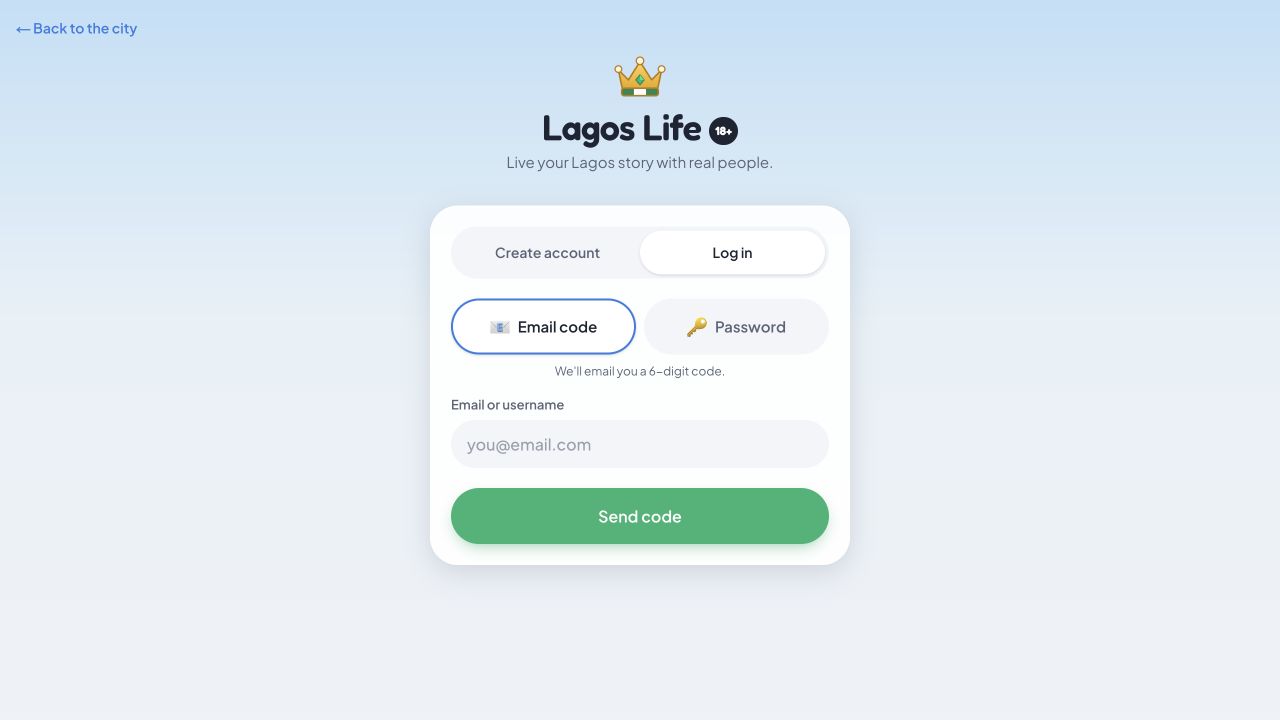
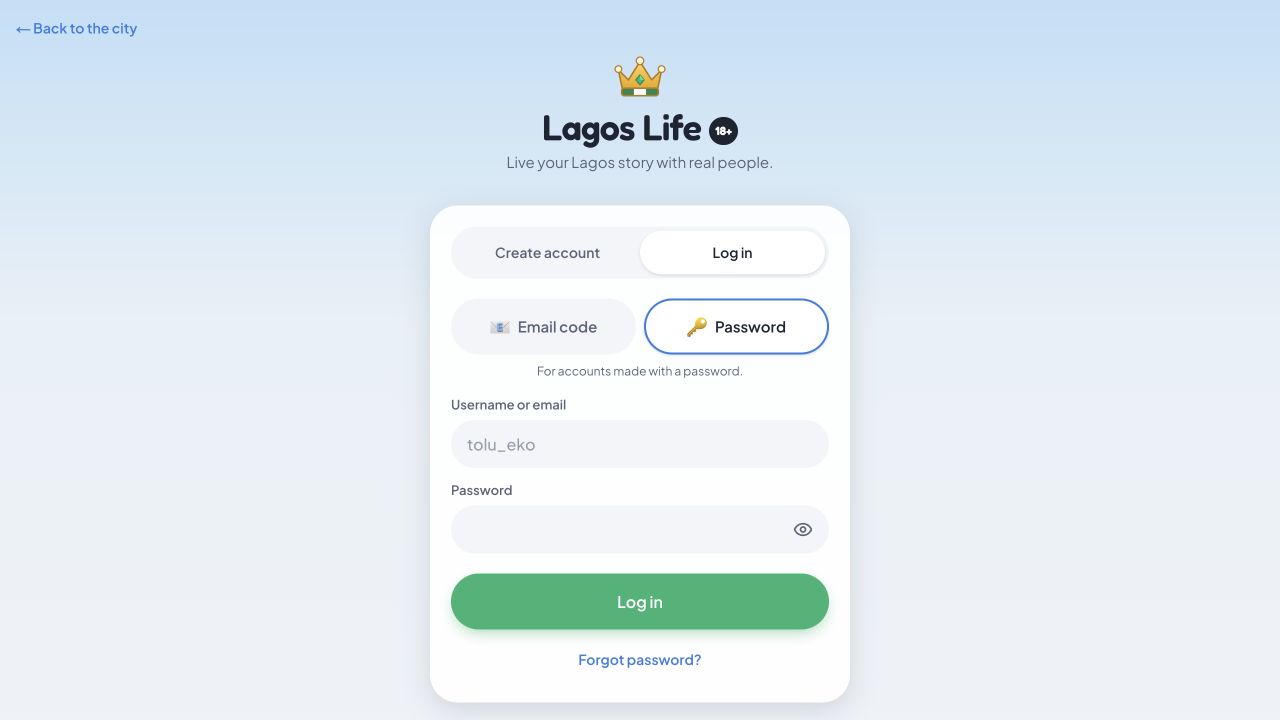
Choose the option that matches your account and follow the current prompts. Do not create replacement accounts simply because a password is missing. Never give a password or a one-time code to this guide or another player. We have not tested the recovery process beyond viewing the public options.
If sign-in fails, write down the exact error message without including your password. Try reloading the official page once, then check whether you are using the intended username and website. Repeated failures can have different causes; this guide cannot inspect accounts or tell you that a problem is definitely a server outage.
Explore one decision at a time
The public map lets visitors inspect places. During our check, choosing Office opened a Go to Marina Towers prompt, followed by account creation or login. That verifies a destination prompt, not a job application process, salary or reward. We cannot yet give a tested sequence for getting your first job.
Once you are signed in, a useful approach is to read the screen before spending your starting resources. Note what an action costs, what it says it will do and whether it has a confirmation step. Choose one activity, observe the result, then decide what to do next. This is a general way to learn an unfamiliar simulation; it is not a promise of faster progress.
Before you spend or follow another guide
Read our game money guide before treating a displayed naira balance as real money. For access questions, use the official game link guide. Fixed starting balances, best jobs, rent schedules and reward amounts are not established by the public registration flow.
Sources and scope: official public game interface, Terms of Use and Privacy Policy, checked October 7, 2026. Button and field observations are from a read-only visit, not a registered account walkthrough.
For the visible destination names, see the map directory. Our source library includes the original image references and official support links.